Scan your stock
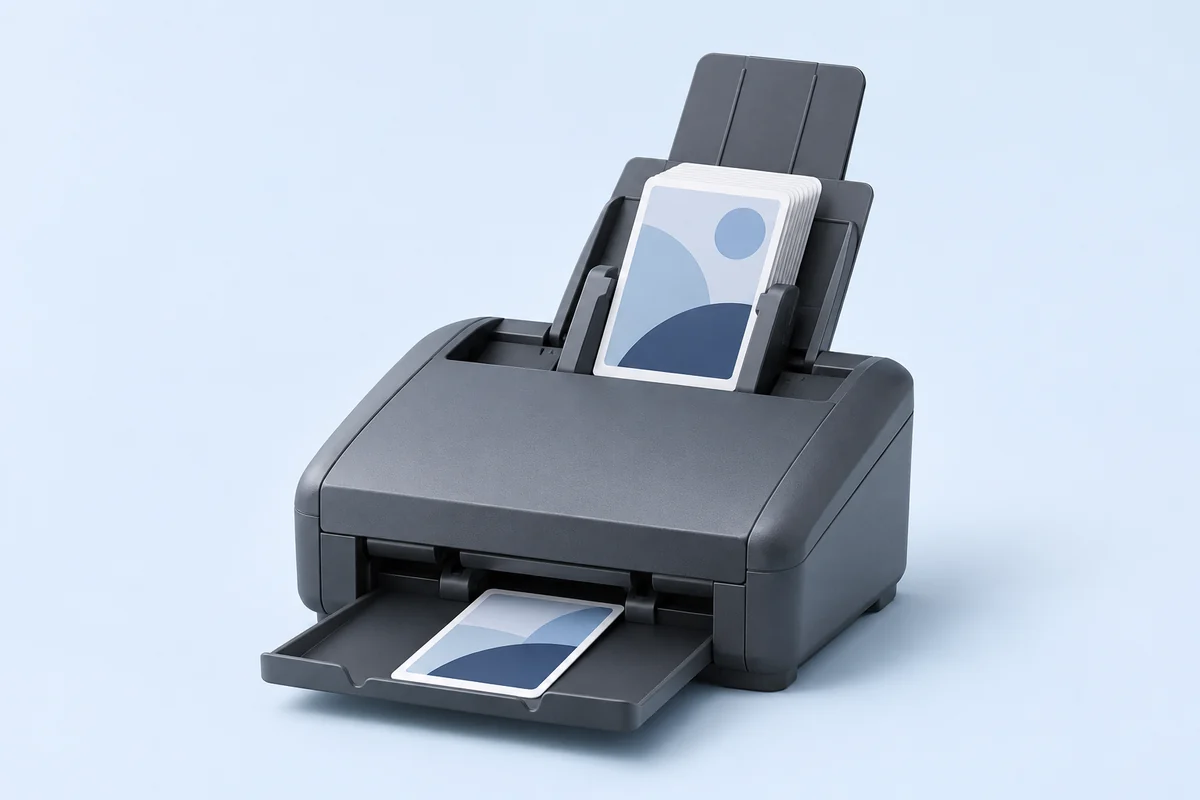
Use a sheet-fed document scanner such as the Fujitsu fi‑8170. Scan card fronts in colour at 300 dpi and add the files to a session.
For European Pokémon card sellers handling hundreds to thousands of cards a week.
EasyCardTCG Scan identifies the set, collector number, language and finish. Confident matches are ready straight away. You review only the uncertain cases.
Latest update · Blind test: all 952 cards eligible for automatic approval were correct ·
Stay in control of what goes on sale, from the first scan to the final list.
Use a sheet-fed document scanner such as the Fujitsu fi‑8170. Scan card fronts in colour at 300 dpi and add the files to a session.
Check each card’s language, normal or reverse holo finish, stamp and condition. Apply changes in bulk and undo a change when needed.
PowerTools export for Cardmarket already works in the test version. If a card is missing a detail, the app asks you to fill it in before export. CardTrader is in development.
Listing the wrong card in your shop can lead to a complaint, a return or a bad review. That’s why EasyCardTCG only approves a card automatically when the evidence is complete: set, card number, language and finish. If EasyCardTCG is unsure, you decide.
We ran a blind test. We showed EasyCardTCG 1,689 English-language cards it had never seen before. 952 cards were recognised with enough confidence that EasyCardTCG would approve them automatically.
All 952 were correct.
Our own blind test followed rules set in advance and covered English-language cards from Scarlet & Violet and Mega Evolution (normal and reverse holo).
Open your scan folder in the app or import individual card images.
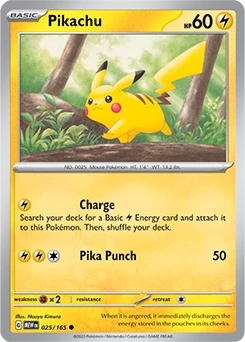
PikachuScarlet & Violet—151 (MEW) · 025/165Ready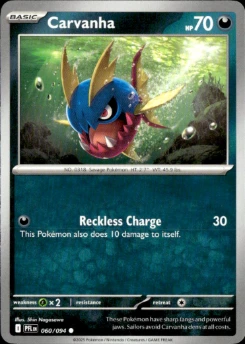 CarvanhaPhantasmal Flames (PFL) · 060/094Needs review
Check the finish before adding the card to your sales list.
We’ve tested with the Ricoh fi‑8170, also known as the Fujitsu fi‑8170. Its feeder takes cards from a stack in sequence, so you don’t have to position each card in front of a phone camera.
Ricoh rates it at 70 single-sided A4 pages per minute at 200 or 300 dpi. That figure is for paper. We’ll measure card throughput and time savings across the full workflow in the pilot.
Already own another model? Tell us which one. We’ll check whether it can feed your cards safely and export individual colour images at 300 dpi.
Dutch price indication: the listings we checked started around €600. Check current prices and seller terms.
EasyCardTCG would approve a card only when its set, card number, language and finish are confirmed. If EasyCardTCG is unsure, you decide. See the blind test
Our goal is to process a sorted stack without you having to check every card individually. The same rules for automatic approval still apply.
We measure the whole workflow, from document scanner to sales list, including the time you spend reviewing cards.
We’re working towards recognition across all European card languages, holo finishes and older sets.
Export is already available in the test version. Our goal is to export without errors and clearly explain which card details you need to fill in first.
Here too, the aim is to export without errors. If anything is missing, the app should tell you what to fill in first.
Next we want to help you track your stock and pick and ship orders.
Closed test
Applying is free of commitment. We will contact you if your stock and scanner fit a test round.

To reach these goals, we need real stacks of cards from sellers like you.
Help us make EasyCardTCG Scan good enough that you never have to type in card details again.
EasyCardTCG Scan grew out of my own work selling singles. I wanted to process stacks faster and still know exactly what I was putting up for sale. EasyCardTCG Scan is the first step.
In development
Scan, identify, review and export cards.
Next step
Track stock, find cards and prepare items for sale. We also aim to support order picking later.
These commitments apply to the planned production version of the app.
Scans are processed on European servers.
As described in our terms and conditions, we also use card scans to improve and test recognition. This covers images of cards, not personal data. Your inventory data stays yours, remains available for export at any time, and is never sold.
EasyCardTCG Scan suggests a set, card number, language and finish where possible. Uncertain cards go to Needs review, where you can check details individually or in groups.
Save the scans from your document scanner to a folder. In EasyCardTCG Scan, open the scan folder to add it or choose Import images to select individual files.
PowerTools export for Cardmarket already works in the test version. If a card is missing a detail, the app asks you to fill it in before export. CardTrader is in development.
EasyCardTCG has 18,408 card mappings to Cardmarket.
You can pause automatic approvals with the emergency stop and look up every decision.
The app is available in Dutch, English, German, French, Spanish and Italian.
You can export your data at any time, with no lock-in.
Not yet. You need a sheet-fed document scanner such as the Fujitsu fi‑8170. If you don’t have one yet, sign up for updates.
This is a closed test. We invite sellers based on scanner model, card languages and what each test round covers.
A short description of your stock is enough to apply. Participants receive separate instructions for scanning and handling test data.
Sign up for updates anyway. We’ll let you know which scanners work well. Keep me updated
We’ll send occasional development updates. You can unsubscribe at any time.
Ask about EasyCardTCG Scan or tell us what takes you longest when listing cards.